

ASUS Zenbook 14 (2026),Smartchoice,Intel Core Ultra 9 285H,Intel Arc iGPU,16GB RAM,512GB SSD,OLED,Touch Screen,14″(35.5 cm),Win 11,M365 Basic(1Y),Office 24,Silver,1.28 Kg,UX3405CA-QL1692WS,AI Laptop
Capturing a beautiful bird in flight, photographing wildlife in its natural habitat, or documenting a breathtaking landscape is only part of the creative process. Once you return home, you may need a capable laptop to organise thousands of photographs, edit images, process RAW files, and prepare your work for publication.
That raises an important question: Is the ASUS Zenbook 14 (2026) a good laptop for wildlife photographers and nature enthusiasts?
This premium 14-inch laptop combines an Intel Core Ultra 9 processor, an OLED touchscreen, 16GB of RAM, and a lightweight design. On paper, it looks appealing for photographers who want a portable computer for editing and managing their photography collections.
However, impressive specifications do not automatically make a laptop the right choice for everyone. Storage capacity, graphics performance, screen quality, portability, and price all matter.
In this review, we’ll examine the ASUS Zenbook 14 (2026), its main features, its potential advantages for wildlife photography, and the things you should consider before buying it.
ASUS Zenbook 14 (2026): At a Glance
| Feature | Specifications |
|---|---|
| Processor | Intel Core Ultra 9 285H |
| Graphics | Integrated Intel Arc graphics |
| Display | 14-inch OLED touchscreen |
| Resolution | 1920 × 1200 (WUXGA) |
| Refresh rate | 60Hz |
| RAM | 16GB LPDDR5X |
| Storage | 512GB M.2 NVMe PCIe 4.0 SSD |
| Operating system | Windows 11 Home |
| Battery capacity | 75Wh |
| Wireless connectivity | Wi-Fi 7 and Bluetooth 5.4 |
| Weight | Approximately 1.28kg |
| Office software | Office Home 2024 |
| Cloud storage offer | Microsoft 365 Basic, 100GB for one year, as listed |
| Model | UX3405CA-QL1692WS |
Specifications are based on the listed product information. Confirm the exact configuration, included software, warranty, and current price before ordering.
1. A Powerful Processor for Photo Editing
The ASUS Zenbook 14 is powered by the Intel Core Ultra 9 285H, a high-performance laptop processor designed for demanding computing tasks.
For wildlife photographers, a capable processor can help with tasks such as:
- Importing and organising large photography collections.
- Editing high-resolution images in compatible photo-editing software.
- Applying adjustments, cropping, and colour corrections.
- Exporting batches of photographs.
- Managing multiple applications while working on a photography project.
If you regularly photograph birds, mammals, forests, mountains, or other natural subjects, a powerful processor can make your editing workflow more comfortable.
However, overall performance will also depend on the software you use, the size of your files, and the amount of available memory. Processor specifications alone cannot guarantee a particular editing speed.
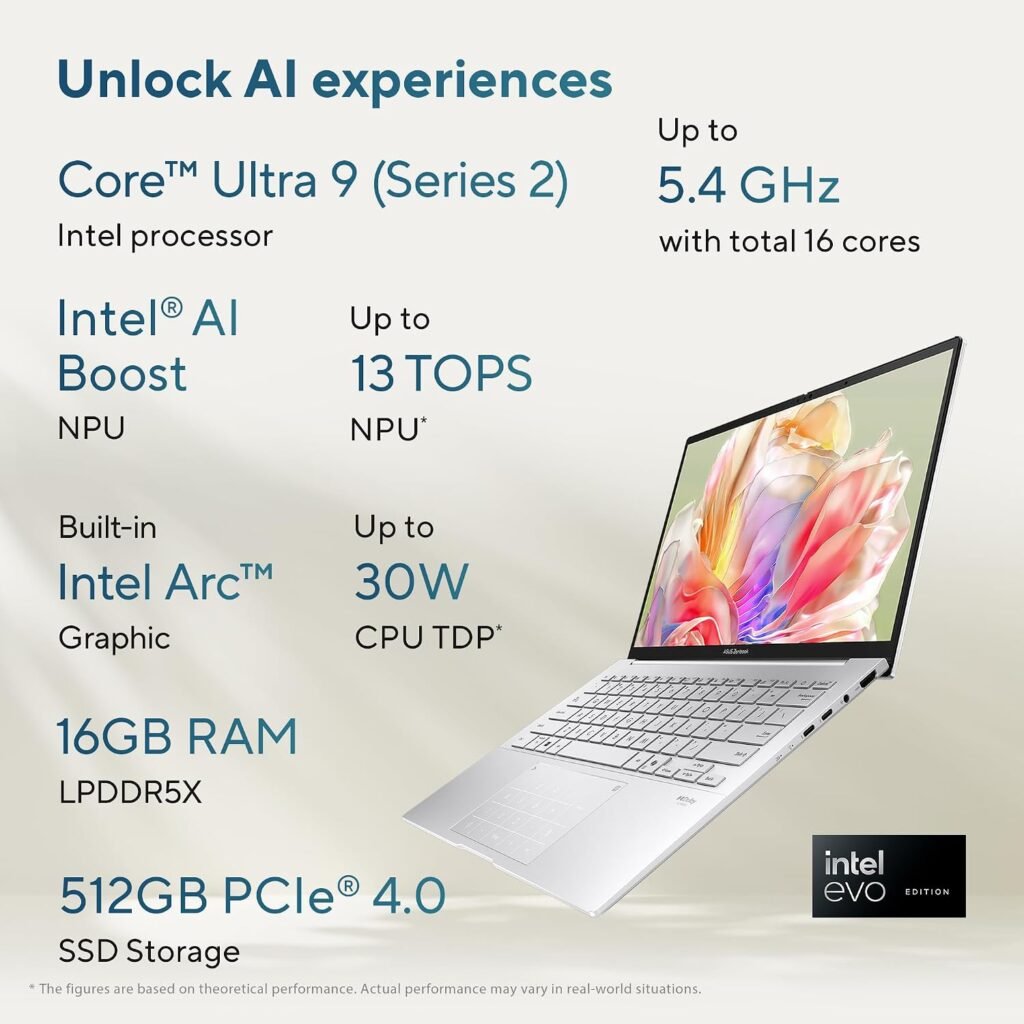
Our take: The Core Ultra 9 processor is a promising feature for photographers who want a compact laptop for regular editing and everyday creative work.
2. OLED Display: A Major Attraction for Photographers
<em>Image suggestion: Add a close-up photograph of the laptop’s OLED screen displaying a wildlife or landscape photograph.</em>
A laptop display is particularly important when editing nature photography. You want to see details in feathers, fur, leaves, clouds, and shadows without relying entirely on guesswork.

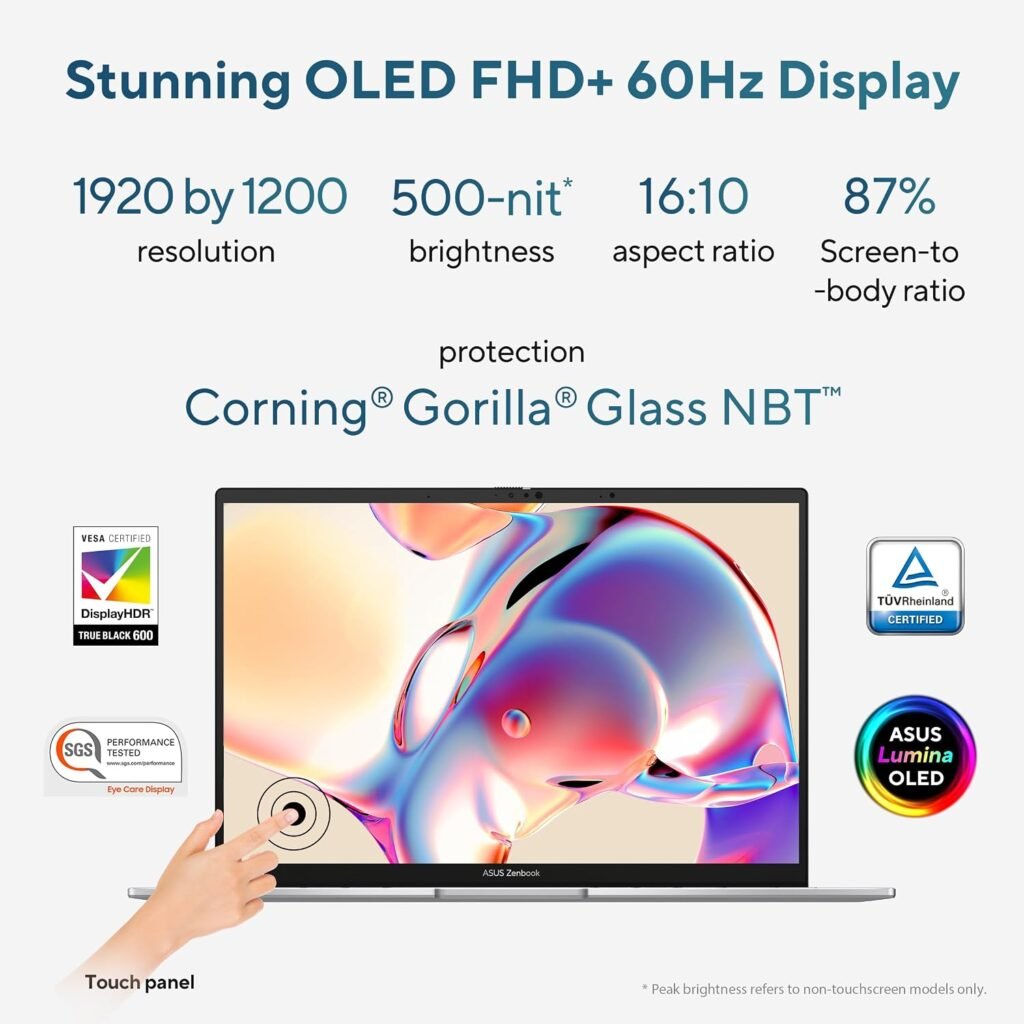
The Zenbook 14 features a 14-inch OLED touchscreen with a 1920 × 1200 resolution and a listed 100% DCI-P3 colour gamut.
Here is why that matters.
Rich colours and deep blacks
OLED technology can produce deep blacks and strong contrast. This can make wildlife photographs, night scenes, forest images, and landscape compositions look visually striking.
A wide colour gamut
The listed 100% DCI-P3 coverage suggests a broad colour range. This can be useful when working with colourful birds, flowers, sunsets, and other nature subjects.
However, colour gamut coverage is not the same as colour accuracy. If you plan to use the laptop for professional photography, check independent measurements of colour accuracy and whether the display can be calibrated appropriately.
Is 1920 × 1200 enough?
The WUXGA resolution is suitable for general photo editing and everyday work on a 14-inch screen. However, photographers who frequently inspect fine feather detail or work with very high-resolution images may prefer a higher-resolution display or an external monitor.
Our take: The OLED screen is one of this laptop’s most appealing features for visual work, but professional photographers should verify colour accuracy rather than judging the display by its technology alone.
3. Is 16GB RAM Enough for Wildlife Photography?
The laptop comes with 16GB of LPDDR5X memory.
For many users, this can be sufficient for everyday photo editing, browsing, file organisation, and working with several applications. It may also handle moderate creative workloads comfortably when the software and project sizes are appropriate.
However, memory requirements can increase considerably when you work with:
- Large RAW photography files.
- Hundreds of images in a single project.
- Multiple editing applications at once.
- Large panoramas or layered image compositions.
- High-resolution video footage alongside photographs.
If your workflow involves particularly large files or professional video editing, 32GB or more may provide greater flexibility.
Important before buying: LPDDR5X memory in thin laptops is often soldered to the motherboard, but confirm the memory configuration and upgrade limitations for the exact model. Do not assume you can add more RAM later.
4. Is the 512GB SSD Enough for a Photography Collection?
The ASUS Zenbook 14 includes a 512GB M.2 NVMe PCIe 4.0 SSD.
An SSD is useful for quickly accessing files and launching applications. However, storage capacity deserves careful consideration if you regularly photograph wildlife.
RAW photographs can occupy substantial space, and video footage can fill a drive even faster. Your available capacity will also be lower than the advertised 512GB because the operating system, software, and other files use part of the drive.
Consider this example:
- A small collection of edited photographs may fit comfortably.
- Several years of high-resolution wildlife photography can require much more storage.
- A large video-editing project may consume hundreds of gigabytes.
A practical solution is to use the laptop’s internal SSD for applications and current projects, while keeping older photographs on an external SSD or a suitable backup drive.
Before purchasing, check whether the SSD can be replaced or upgraded in this exact configuration. The listed specifications do not establish whether an additional internal drive slot is available.
Our take: The SSD should be convenient for everyday work, but serious wildlife photographers may want additional storage from the beginning.
5. Intel Arc Graphics: Suitable for Photo Editing?
The laptop uses integrated Intel Arc graphics rather than a separate dedicated graphics card.
Integrated graphics can be sufficient for many everyday tasks and supported photo-editing applications. They may also accelerate certain creative operations, depending on the software and its hardware support.
However, graphics performance matters more if you plan to work with:
- Complex AI-powered editing tools.
- Heavy noise reduction and image-processing workloads.
- High-resolution video editing.
- Advanced visual effects or 3D applications.
Performance will vary by application, driver version, power settings, and workload. A laptop with a dedicated GPU may be a better choice for graphics-intensive video work.
For someone who mainly edits photographs, organises a nature photography collection, and publishes images online, a dedicated GPU may not be essential.
Our take: Intel Arc integrated graphics make this a more balanced portable laptop than a dedicated workstation. Choose according to your actual editing workload rather than assuming that every photographer needs a powerful graphics card.
6. Lightweight Design for Travel and Fieldwork
<em>Image suggestion: Show the laptop beside a camera and telephoto lens on a desk or in a travel setup.</em>
The Zenbook 14 weighs approximately 1.28kg, making portability one of its main attractions.
Wildlife photographers often carry a camera body, telephoto lens, spare batteries, memory cards, and other equipment. A lighter laptop can be useful when travelling between locations or working away from home.
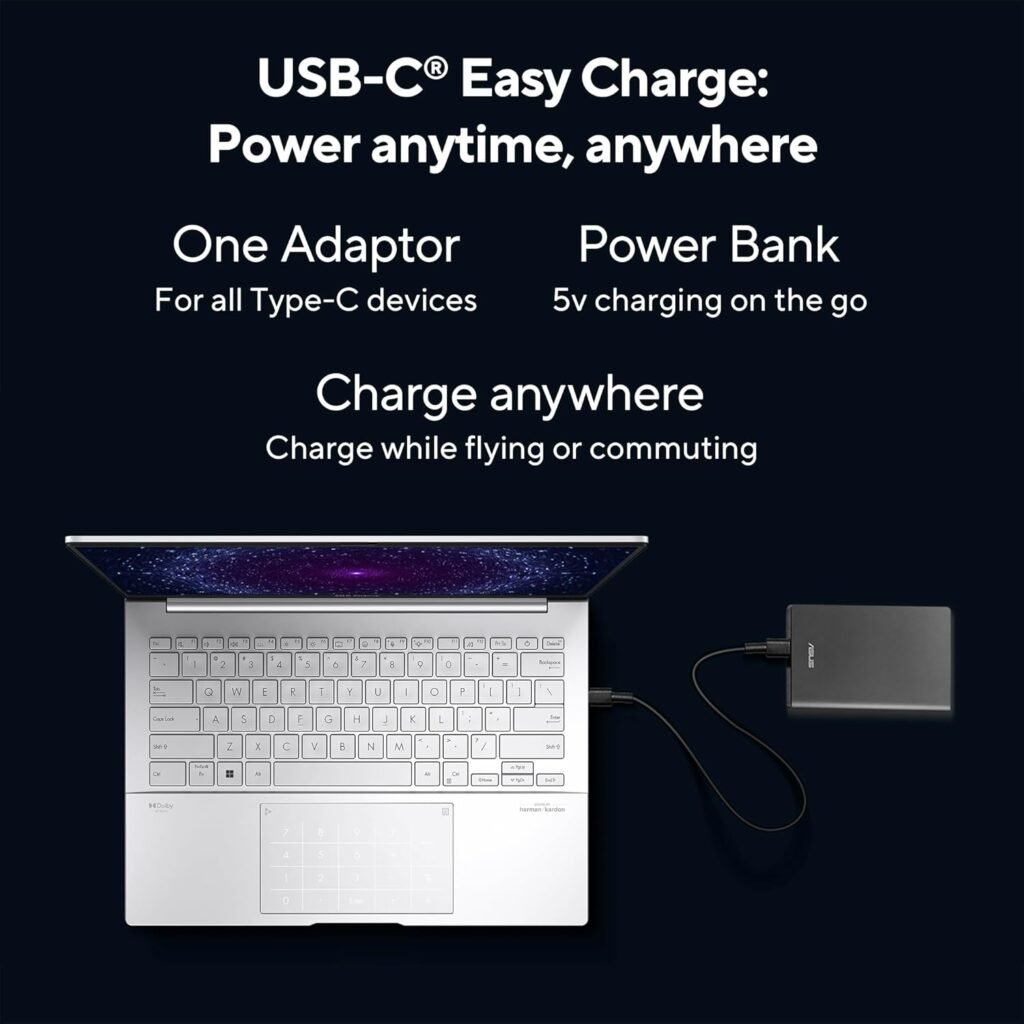
Its compact design may suit:
- Nature photographers who travel frequently.
- Birdwatchers who document their observations.
- Travel bloggers who publish photography on the road.
- Students and enthusiasts who edit images while travelling.
- Photographers who want one laptop for creative work and everyday computing.
Remember, though, that the laptop is not a replacement for a field-ready camera or a rugged device. You should also protect it from rain, dust, impact, and extreme environmental conditions.
7. Battery Capacity and Everyday Convenience
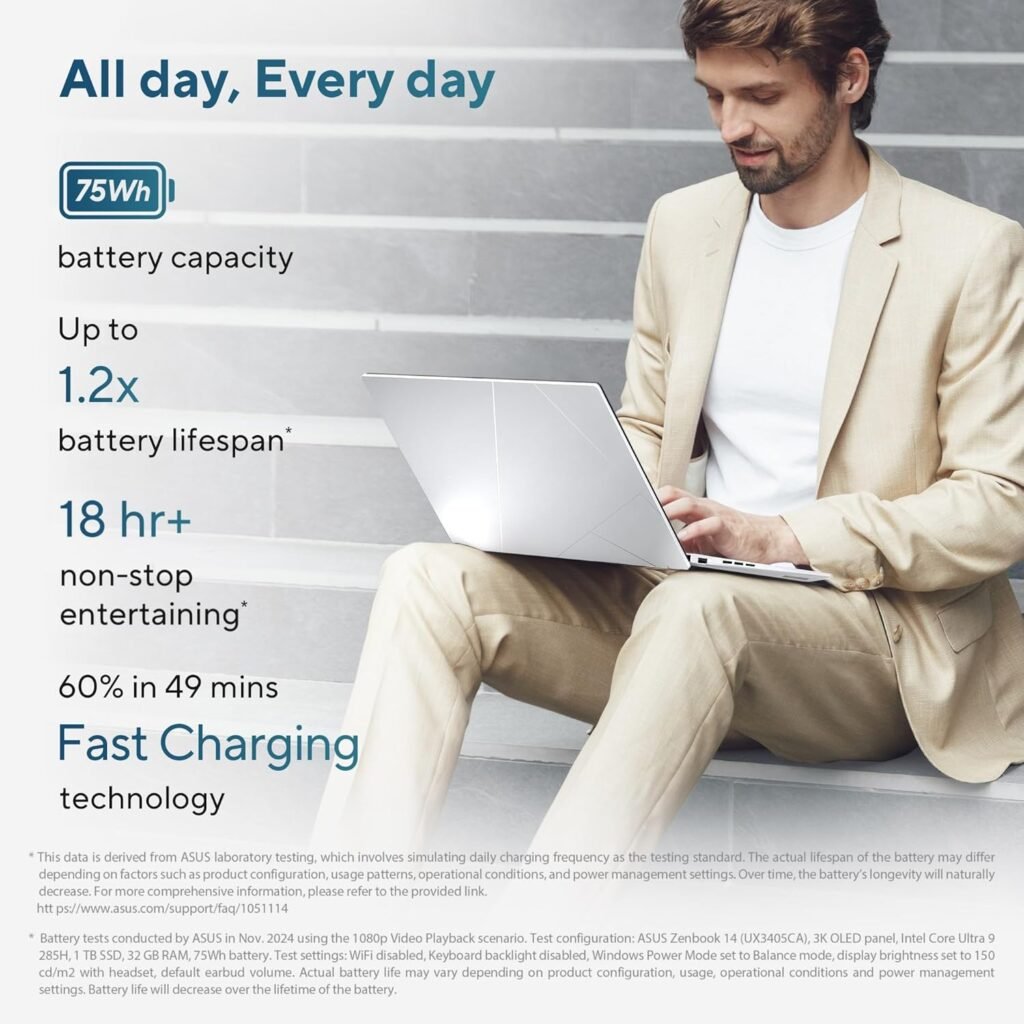
The product listing specifies a 75Wh battery.
Battery capacity is a useful specification, but it does not tell us exactly how many hours the laptop will last. Actual battery life depends on screen brightness, workload, software, wireless connectivity, and power settings.
Editing photographs, exporting large batches, and processing video can consume more power than reading documents or browsing the web.
If you intend to edit photographs while travelling, check independent battery-life tests under workloads similar to yours. Also remember that the availability of a power outlet can matter when working in remote locations.
8. Connectivity for Cameras, External Drives, and Accessories
The ASUS Zenbook 14 offers several useful connectivity options:
- Two Thunderbolt 4 ports supporting data transfer, display output, and power delivery.
- One USB 3.2 Gen 1 Type-A port.
- One HDMI 2.1 TMDS port.
- One 3.5mm audio jack.
- Wi-Fi 7 and Bluetooth 5.4.
These connections can help you work with external displays, compatible storage devices, headphones, and other accessories.
However, photographers should note that the listed ports do not include a dedicated SD card reader. If your camera uses an SD card, you may need an external card reader.
You may also want a USB hub if you regularly connect several accessories simultaneously.
9. Windows 11 and Included Office Software
The laptop comes with Windows 11 Home and Office Home 2024, according to the listing.
Office Home 2024 is a perpetual Office licence for the included eligible applications, whereas Microsoft 365 Basic is a separate subscription offering. The listing also advertises 100GB of cloud storage through Microsoft 365 Basic for one year.

Check the exact licence terms and activation conditions before purchasing. Do not assume that all Microsoft 365 applications or benefits are included permanently.
For photographers, office software can be useful for maintaining photography records, preparing invoices, writing travel notes, or managing project documentation.
10. ASUS Zenbook 14 (2026): Pros and Cons
What we like
- Powerful processor: The Intel Core Ultra 9 285H is promising for multitasking and demanding everyday workloads.
- OLED touchscreen: Offers strong contrast and a wide listed colour gamut.
- Portable design: Approximately 1.28kg is convenient for travel.
- Fast SSD technology: PCIe 4.0 NVMe storage is suitable for responsive everyday computing.
- Modern connectivity: Thunderbolt 4, HDMI, Wi-Fi 7, and Bluetooth 5.4.
- Large battery capacity: The 75Wh specification is worth considering for a compact laptop.
What to consider
- 16GB RAM: May be limiting for particularly heavy creative workloads.
- 512GB storage: Could fill quickly if you keep large photography and video collections locally.
- Integrated graphics: Not the best fit for every demanding GPU-intensive workflow.
- No listed SD card reader: An external reader may be necessary.
- Colour accuracy needs verification: A wide gamut does not automatically guarantee accurate colours.
- Upgradeability needs confirmation: Verify RAM and SSD options for the exact SKU.
- Premium pricing: The laptop may be more than some casual photographers need.
11. Who Should Buy the ASUS Zenbook 14?
This laptop may be worth considering if you want a lightweight, premium computer for photography-related tasks and everyday work.
| User type | Suitability |
|---|---|
| Casual nature photographer | Worth considering |
| Birdwatcher organising photographs | Worth considering |
| Photographer editing RAW files | Potentially suitable; test workload requirements |
| Travel blogger publishing images | A promising portable option |
| Professional photographer managing very large projects | Consider more RAM and storage |
| Wildlife videographer using demanding editing software | Compare dedicated-GPU alternatives |
| Photographer wanting easy future RAM upgrades | Confirm upgradeability first |
The best choice depends on how you work. Someone who edits a few photographs after a weekend birdwatching trip has very different needs from someone who processes thousands of RAW files or edits high-resolution wildlife videos every day.
12. Is the ASUS Zenbook 14 (2026) Worth Its Price?
The Amazon listing you shared showed a price of approximately ₹1,39,990 at the time of the screenshot. Prices, discounts, and stock can change, so check the current listing before making a decision.
At this price level, you should compare more than the processor name. Consider the display, memory, storage, battery, weight, warranty, and the performance you need from your editing applications.
Before ordering, ask yourself:
- Will 16GB RAM be sufficient for the next few years?
- Is 512GB storage enough for my current and future projects?
- Do I need a dedicated graphics card for video editing?
- Is portability more important to me than maximum performance?
- Can I find a competing laptop with more memory or storage at a similar price?
If you prioritise a lightweight design and a high-contrast OLED screen, the Zenbook deserves consideration. If you mainly need the best possible performance per rupee for heavy video editing, compare dedicated-GPU laptops before committing.
Check the latest price and configuration on Amazon: View ASUS Zenbook 14 (2026)
Frequently Asked Questions
Is the ASUS Zenbook 14 (2026) good for wildlife photography?
It may be suitable for organising photographs, editing images, and handling everyday creative work. Its OLED display and Core Ultra 9 processor are appealing features, but the ideal choice depends on your editing software, file sizes, and memory requirements.
Can it edit RAW photographs?
Many modern photo-editing applications can run on systems with these general specifications. However, performance depends on the specific application, camera files, editing complexity, and available memory. Check your software’s system requirements before purchasing.
Is 16GB RAM enough for Lightroom or Photoshop?
It can be sufficient for many standard editing tasks, but large projects, extensive multitasking, and demanding AI features may benefit from more memory. Check the recommended requirements for your software version and typical workload.
Can the RAM be upgraded?
The laptop uses LPDDR5X memory. Such memory is commonly soldered, but confirm the exact configuration and service documentation for model UX3405CA-QL1692WS before buying.
Can the SSD be upgraded?
The listing specifies a 512GB M.2 NVMe PCIe 4.0 SSD. This alone does not confirm whether the SSD is user-replaceable or whether additional storage slots are available. Verify with ASUS or the official product documentation.
Does it have an SD card reader?
An SD card reader is not included in the listed port specifications. You may need an external USB or Thunderbolt-compatible card reader, depending on your camera’s memory card.
Is this laptop suitable for wildlife video editing?
It may suit lighter video-editing projects, but demanding high-resolution footage, complex effects, and GPU-intensive workflows may perform better on a laptop with a dedicated graphics card. Check benchmarks for your editing software before deciding.
Does the OLED display guarantee professional colour accuracy?
No. OLED technology and a wide colour gamut can be beneficial, but professional work also requires suitable colour accuracy and calibration. Look for independent display measurements if accurate colour reproduction is essential.
Final Verdict: Should You Buy It?
The ASUS Zenbook 14 (2026) is an interesting option for nature enthusiasts and photographers who want a compact laptop with a powerful processor, an OLED touchscreen, and modern connectivity.
Its strongest attractions are portability, the OLED display, and the Intel Core Ultra 9 processor. Its main considerations are the 16GB memory configuration, 512GB internal storage, integrated graphics, and upgradeability.
For casual photography, image organisation, and moderate editing, it may be a good fit. For professional workflows involving huge image collections or demanding video editing, compare it with alternatives offering more memory, more storage, or dedicated graphics.
Our recommendation: Buy it for the features that match your actual workflow—not simply because it has a premium processor. Check the latest price, confirm the exact hardware configuration, and compare independent performance tests before making your final decision.
Affiliate disclosure: This article contains an affiliate link. If you purchase through the link, NatureGeeky may earn a commission at no additional cost to you. This helps support the website and its nature-related content.
Editorial note: This article is based on the product specifications provided in the listing, not a hands-on test. Specifications, software bundles, availability, warranty terms, and prices may change. Please verify the details with the manufacturer and seller before purchasing.